
The questions behind “governance”
- Lineage: where does this table come from, and what breaks if I change it?
- Access: who can see this report, and who can reach the data underneath?
- Usage: what does anyone actually open, and which paid licences sit idle?
- Documentation: which tables have no description, and who wrote the ones that do?
- Risk: what is stale, and what exposes personal data too widely?
What the platform gives you
Fabric gives you the building blocks: workspace roles, item permissions, OneLake data access roles, sensitivity labels, endorsement, the lineage view and the admin monitoring workspace. Microsoft Purview adds an enterprise data map and catalog across all your sources. What neither does is read the code inside Fabric items to tell you which table comes from where, or resolve every access path to a list of people.
Fabriscope: two products, one scan
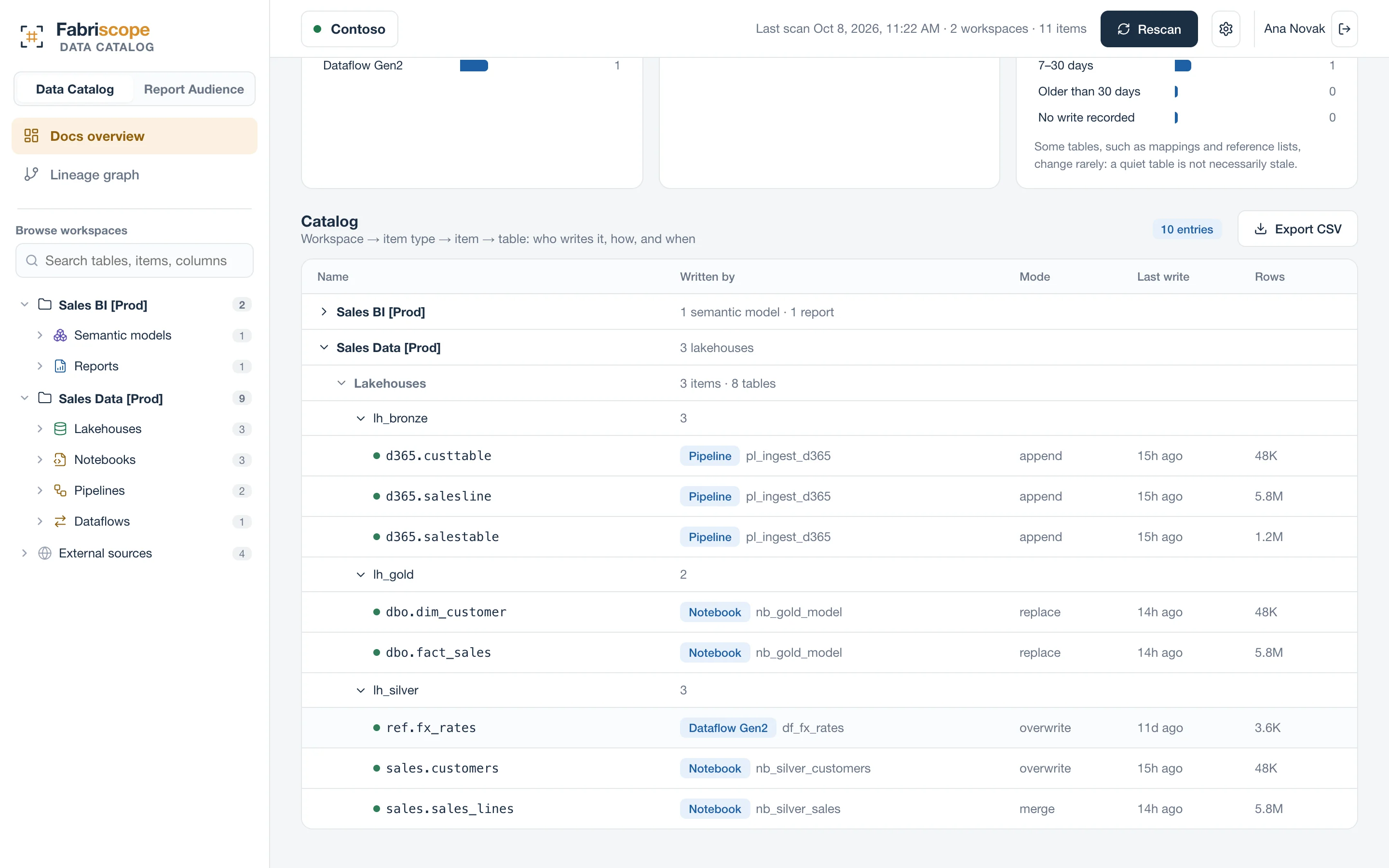
Data Catalog — table-level lineage from the code behind each table, descriptions your team writes in place (with who edited them), who can read each table, and findings for stale, undocumented and over-exposed data.
Report Audience — who can see each Power BI report through every path (workspace roles, direct access, sharing links, publish to web, Entra groups expanded to people), who actually opens it from the audit log, and Pro / PPU seats nobody uses.
Both are read-only and read metadata and audit events only. They work alongside Purview if you have it; many teams use Fabriscope precisely because a full catalog rollout is more than they need for their Fabric estate.
Questions
Is this a replacement for Microsoft Purview?
No. Purview catalogs your whole data estate; Fabriscope goes deep on Fabric and Power BI: table-level lineage from code and effective report access. They work side by side.
How long does setup take?
About 15 minutes for a Fabric or Entra admin: an app registration, one tenant setting for read-only admin APIs, and Contributor on the workspaces to document. The first scan takes minutes to an hour depending on size.