
Every way someone gets to a report
- Workspace roles — Admin, Member, Contributor and Viewer can all open every report in the workspace.
- Direct access — the report was shared with a person or a group (“Manage permissions”).
- Sharing links — “People in your organization” links reach everyone in the tenant; “Specific people” links reach the named people.
- Publish to web — anyone on the internet with the URL.
- Entra groups — any of the above granted to a group reaches every member, including nested groups.
- Apps — an app audience can open the reports published in it.
And one rule people forget: to see a report, a person needs read access to the report and to the semantic model behind it. A report in one workspace on a model in another can be visible to fewer people than its own permissions suggest.
How to check it by hand
- In the report's Manage permissions pane: direct access and links.
- In the workspace's Manage access: roles.
- In the semantic model's Manage permissions: who can read the model.
- In Entra ID: the members of every group that appears above, recursively.
- In the admin portal: whether the report is published to the web.
Combining those for one report takes a quarter of an hour. For an access review of every report, it does not happen.
How Fabriscope does it
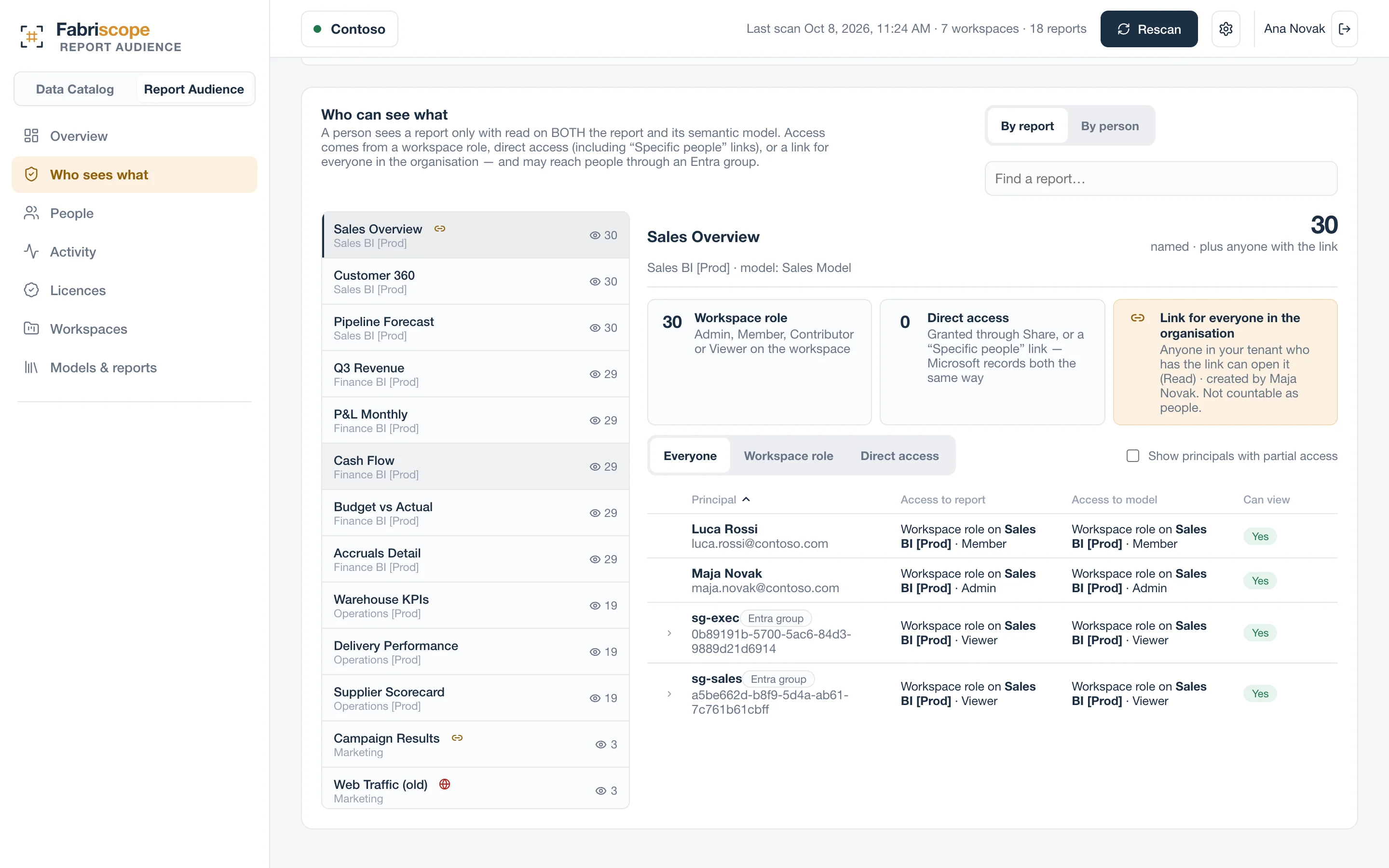
Report Audience reads every grant through Power BI's read-only admin APIs, expands Entra groups through Microsoft Graph, and applies the report-and-model rule. For each report it lists every person who can open it, the path that gets them there, organisation-wide links and publish-to-web — and, from the audit log, who actually opened it in the last 30 days. The other way round works too: pick a person and see everything they can reach, which is what access reviews and leaver checks need.
Not evaluated today: app audiences and row-level security. Fabriscope says so on the page rather than guessing.
Questions
Does it need a workspace role?
No. Report Audience reads everything through the read-only admin APIs and, optionally, Microsoft Graph for group members and licences.
Does it read report data?
No. It reads permissions, item metadata and audit events — never the data inside a report or model.